# Noticeboard
As a superadmin or admin, you can control and monitor the academic noticeboard of your school. To manage the noticeboard, you have to follow the steps below:
- Log in to the user panel.
- Select the "Back office" option from the left menu.
- Click the "Noticeboard" option from the sub-menu.
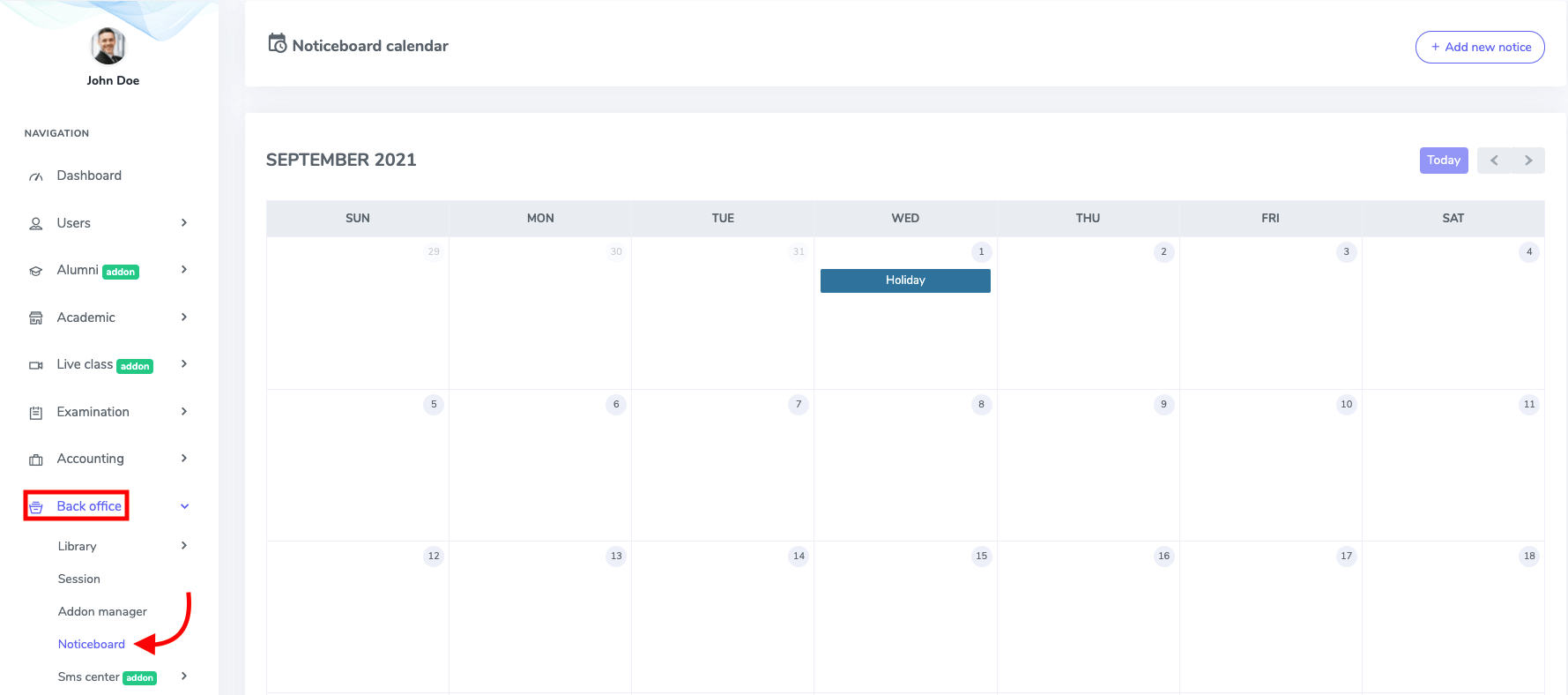
Figure 1. Ekattor ERP Academic Calender with Noticeboard
To create a new notice in this panel, you have to click the "Add new notice" button.
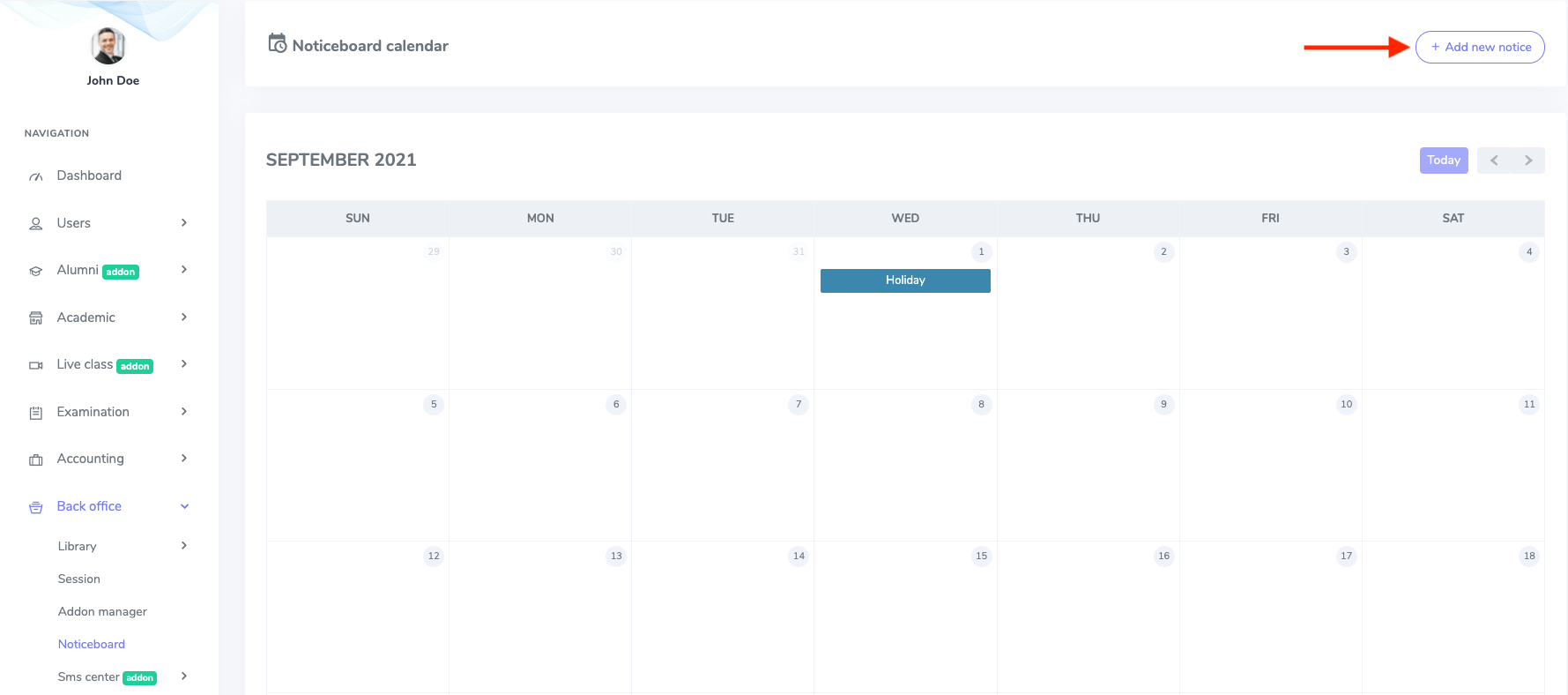
Figure 2. Ekattor ERP Adding New Academic Notice
In this new form, You have to provide:
- Notice title
- Date
- Details
- Status
- Upload a notice image
After providing the information, select the "Save notice" option to create a new notice.
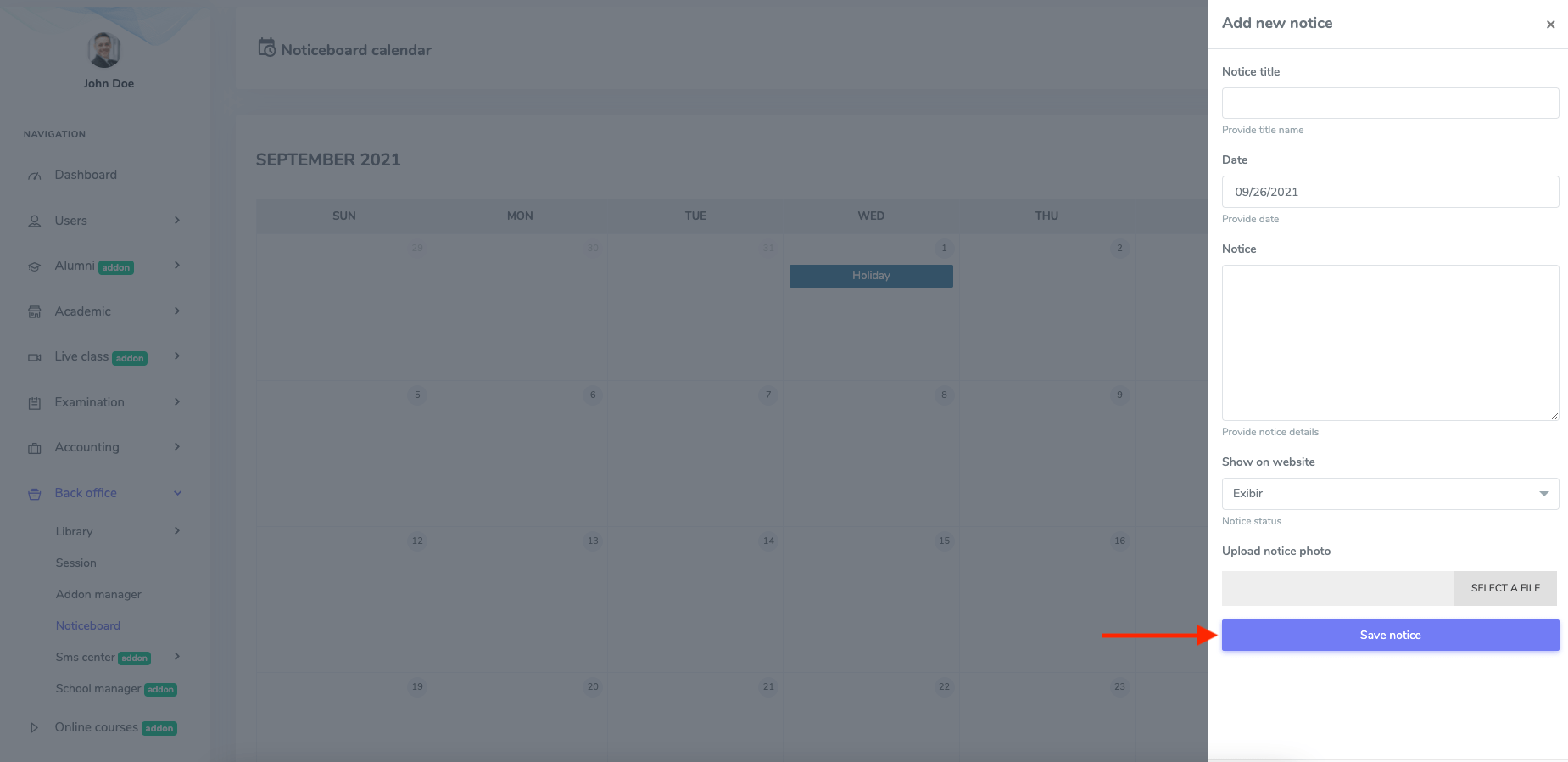
Figure 3. Ekattor ERP Saving New Notice
To update notice, you have to right-click on any date in the noticeboard calendar.
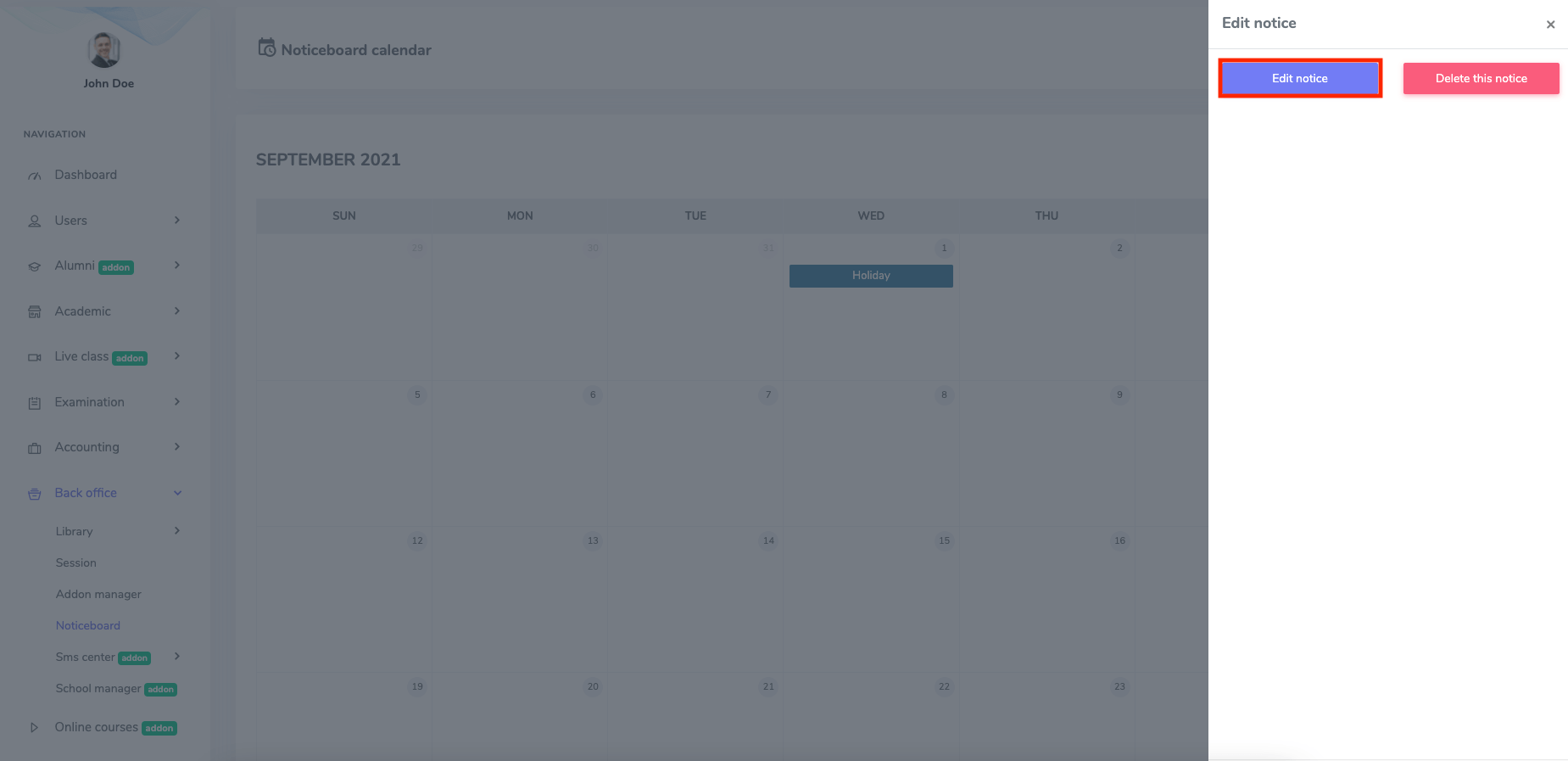
Figure 4. Ekattor ERP Managing Academic Notice
You have to navigate:
- Select the "Edit notice" option.
- Change the required information.
Then select the "Save notice" option for confirmation.
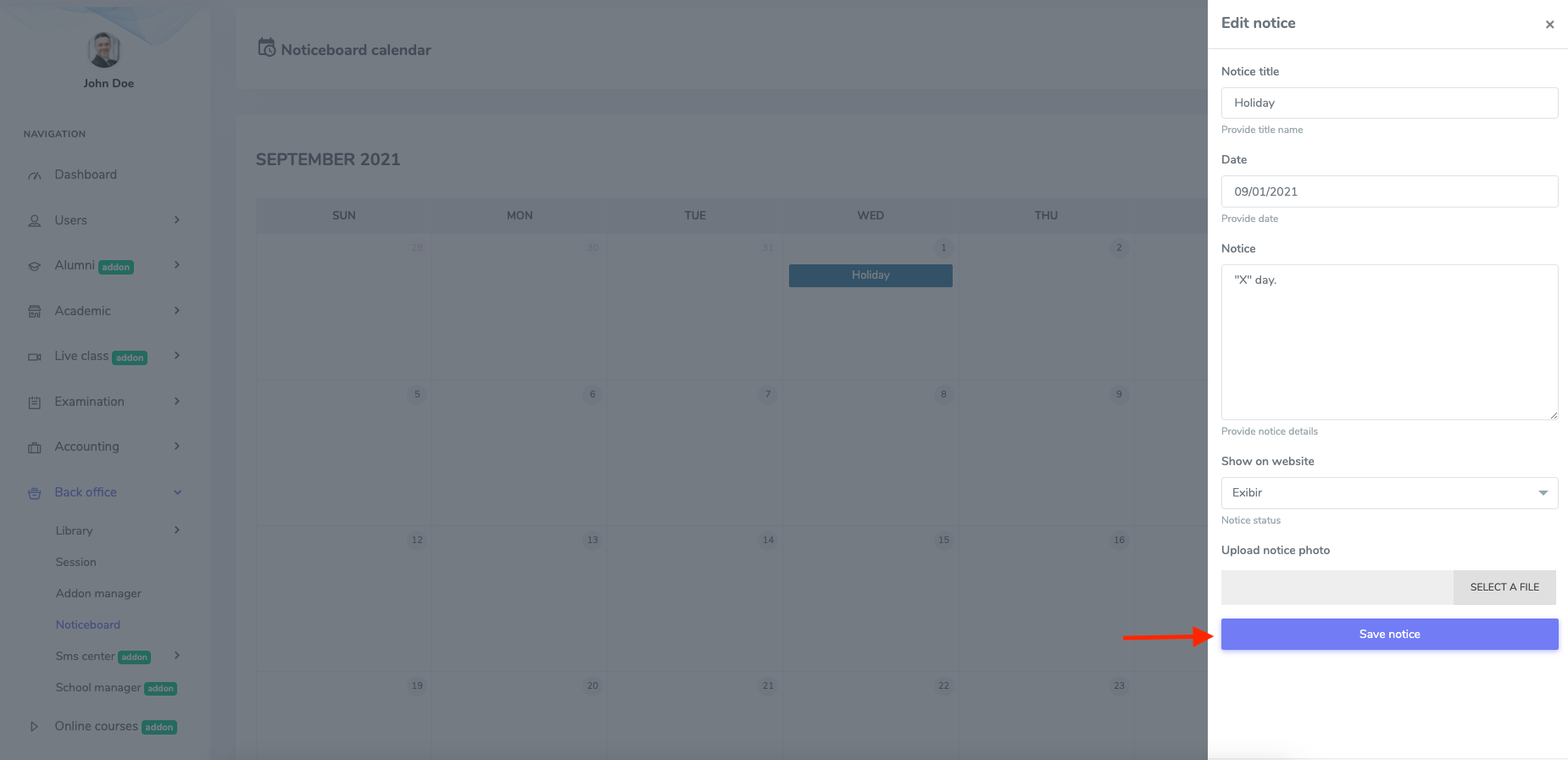
Figure 5. Ekattor ERP Updating Notice
To delete notice, you have to right-click on any date in the noticeboard calendar. Then, select the "Delete this notice" option and click the "Continue" button for confirmation.