# Language settings
In Ekattor, as a superadmin, you can change, update or remove any language. For this, you have to navigate:
- Log in to the superadmin panel.
- Go to the "Settings" option from the left menu.
- Select the "Language settings" option from the sub-menu.
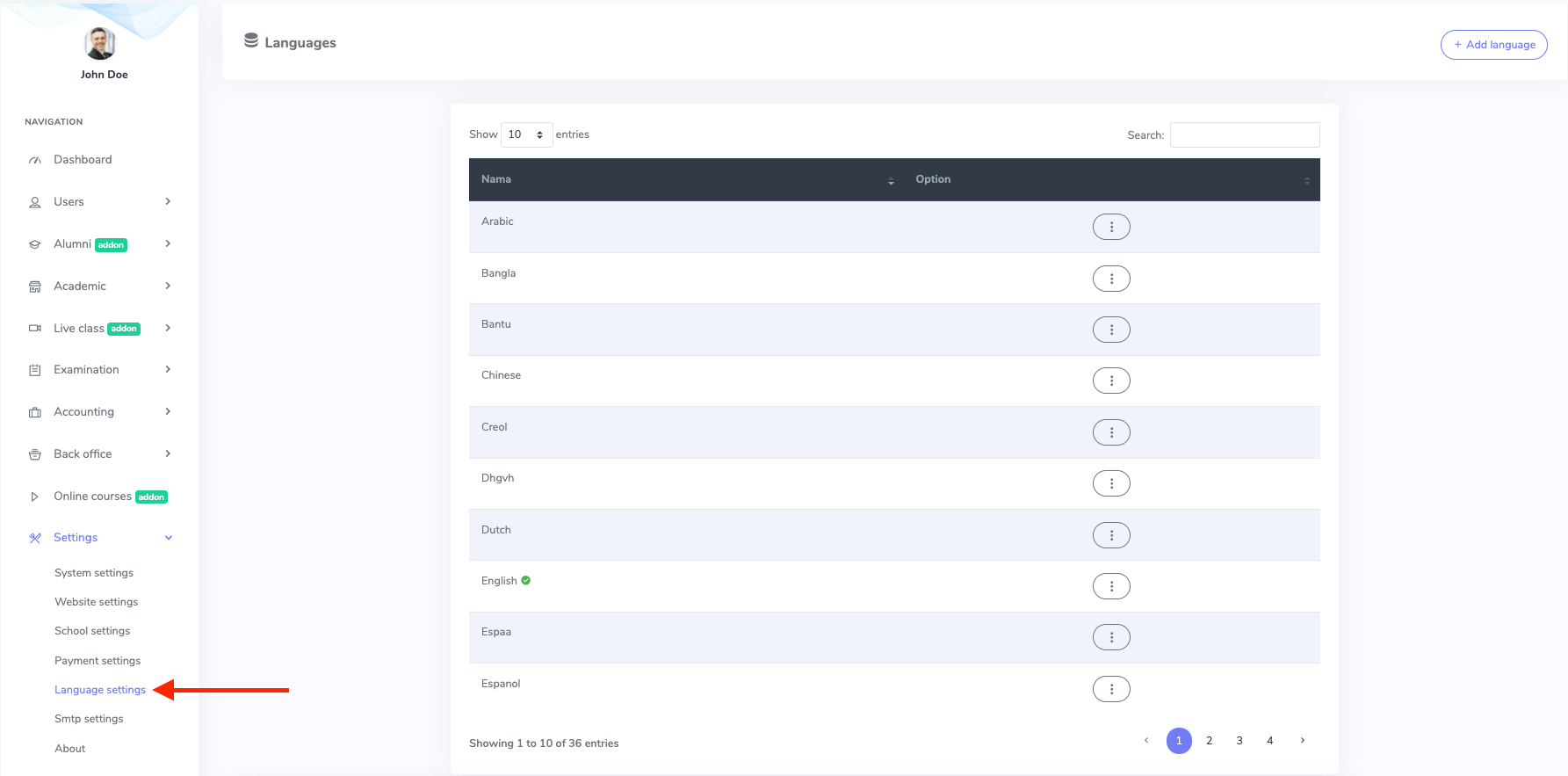
Figure 1. Ekattor ERP Language Settings
You can add any native language to your school. For this, you have to click the "Add language" option.
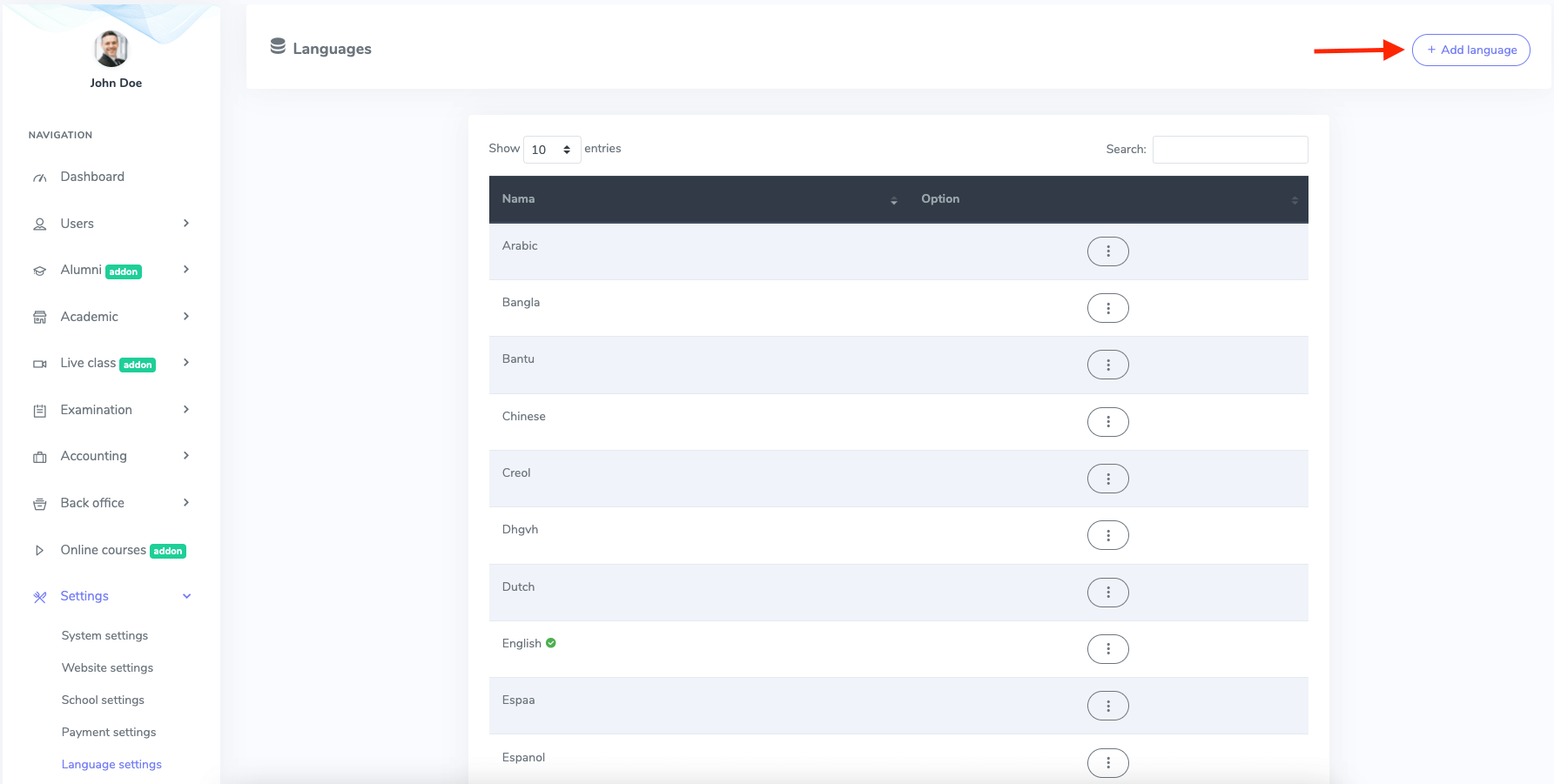
Figure 2. Ekattor ERP Adding New Language
After opening the new form, you have to select a new language and click on the "Add language" button.
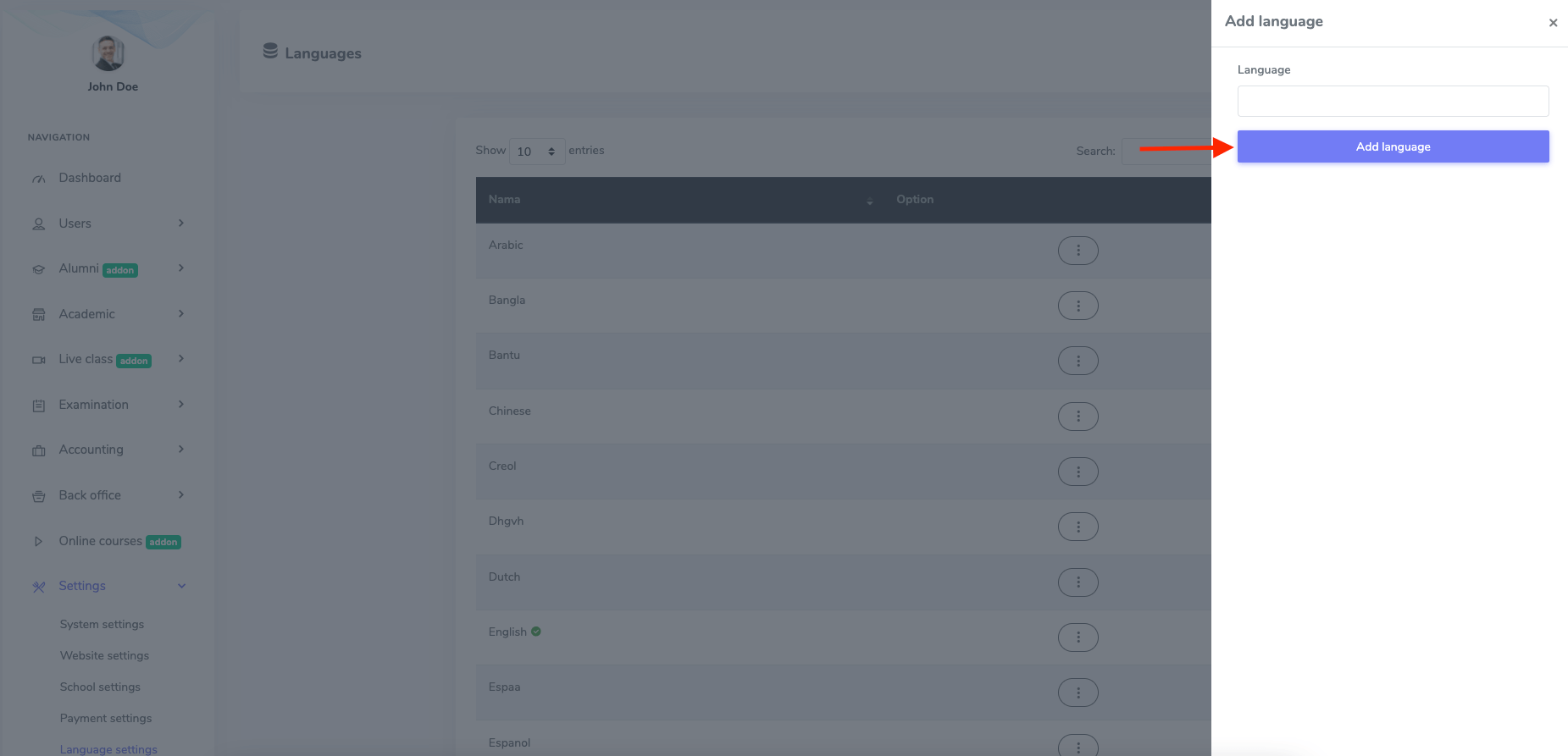
Figure 3. Ekattor ERP Saving New Language
In this settings panel, you can also edit the phrases, language and remove languages by clicking the "Option" button.
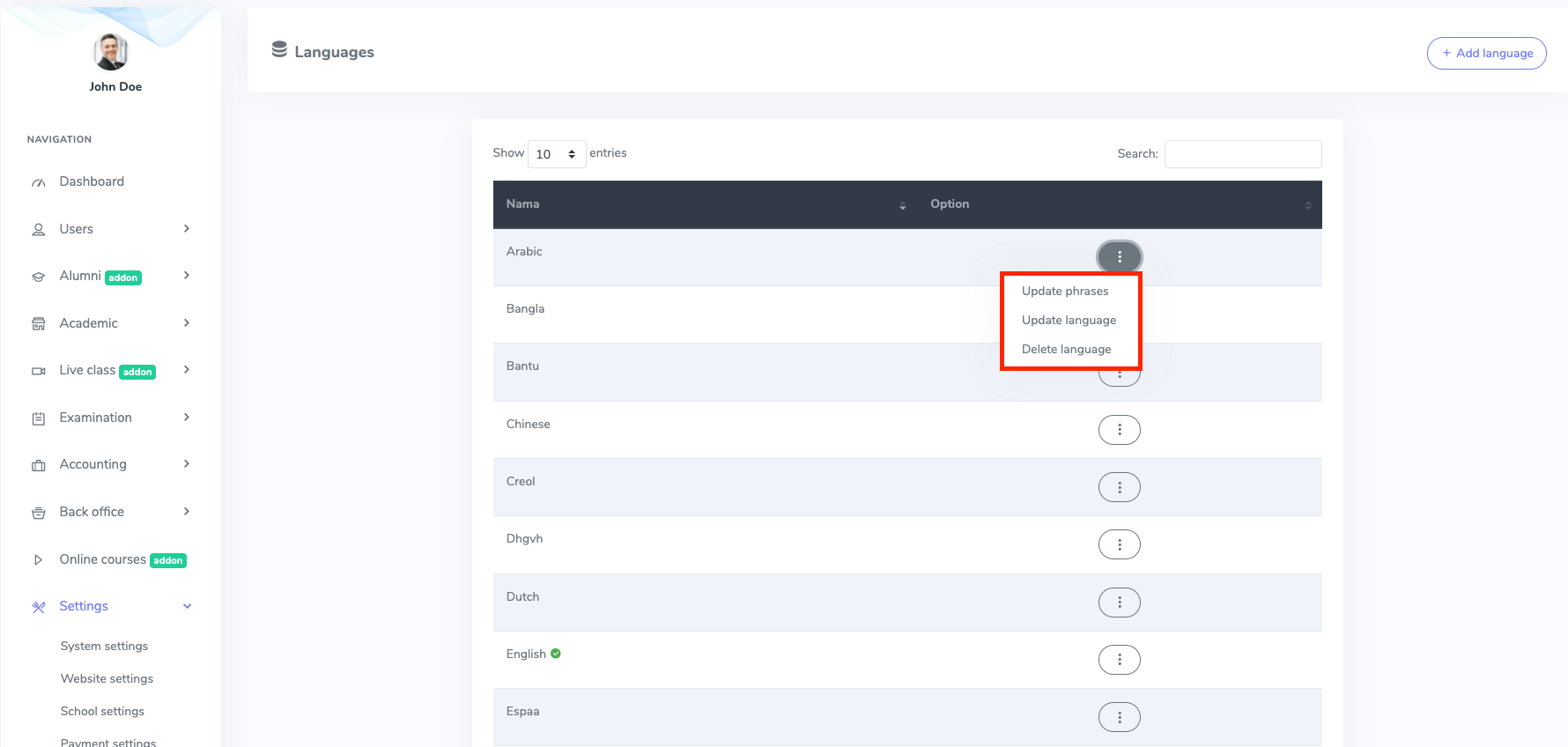
Figure 4. Ekattor ERP Language Settings Options
To edit the phrases, you have to select:
- Select a language.
- The "Update phrases" button from "Option."
- Update the required phrase.
To confirm the phrase, you have to select the "Green ticked box."
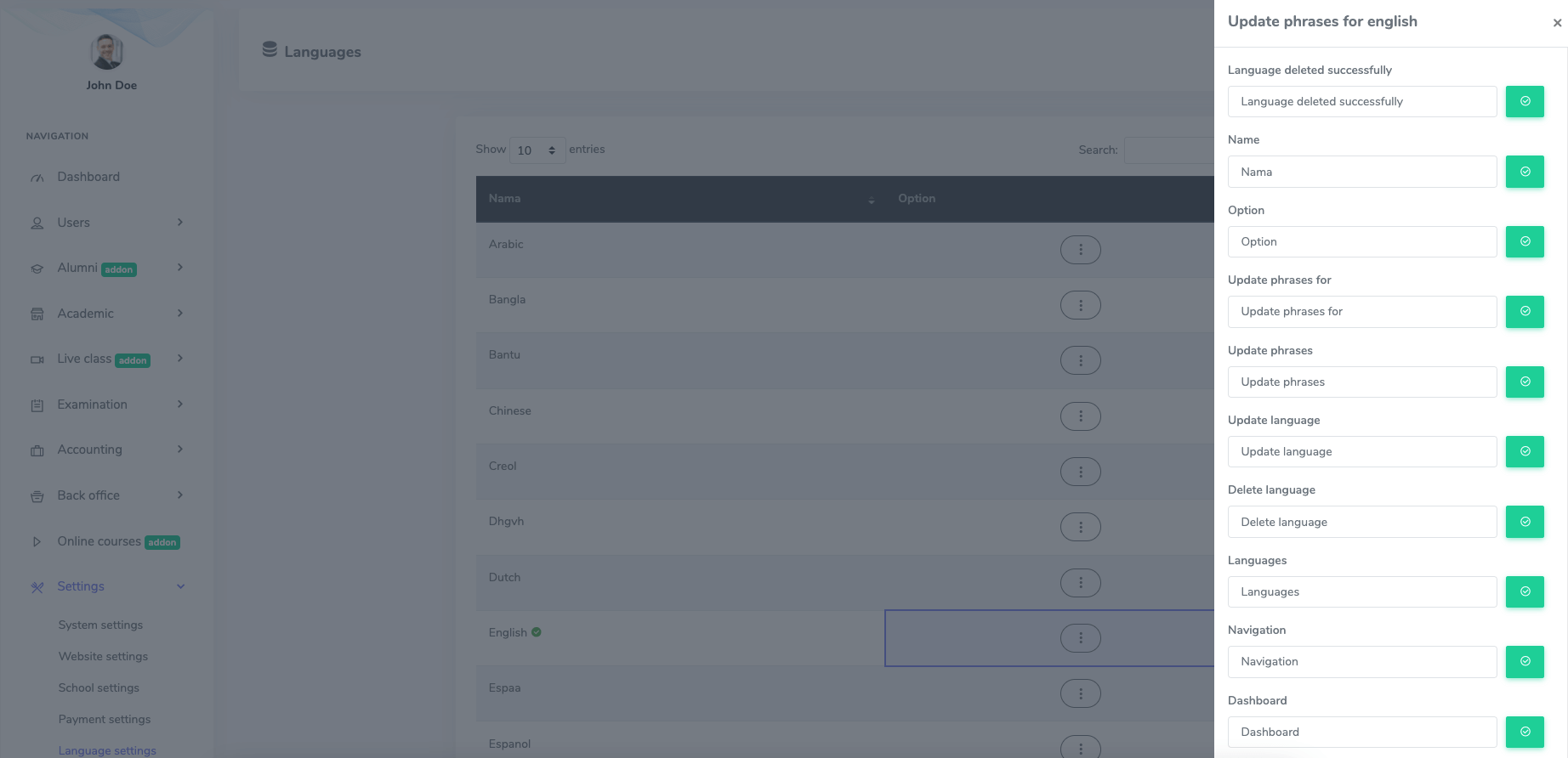
Figure 5. Ekattor ERP Updating Language Phrase
To confirm the phrase, you have to select the "Green ticked box."
To update a language, you have to follow the steps:
- Select the "Update language" button from the "Option."
- Update the language.
Now you have to save the change. For this, you have to click the "Update language" button.
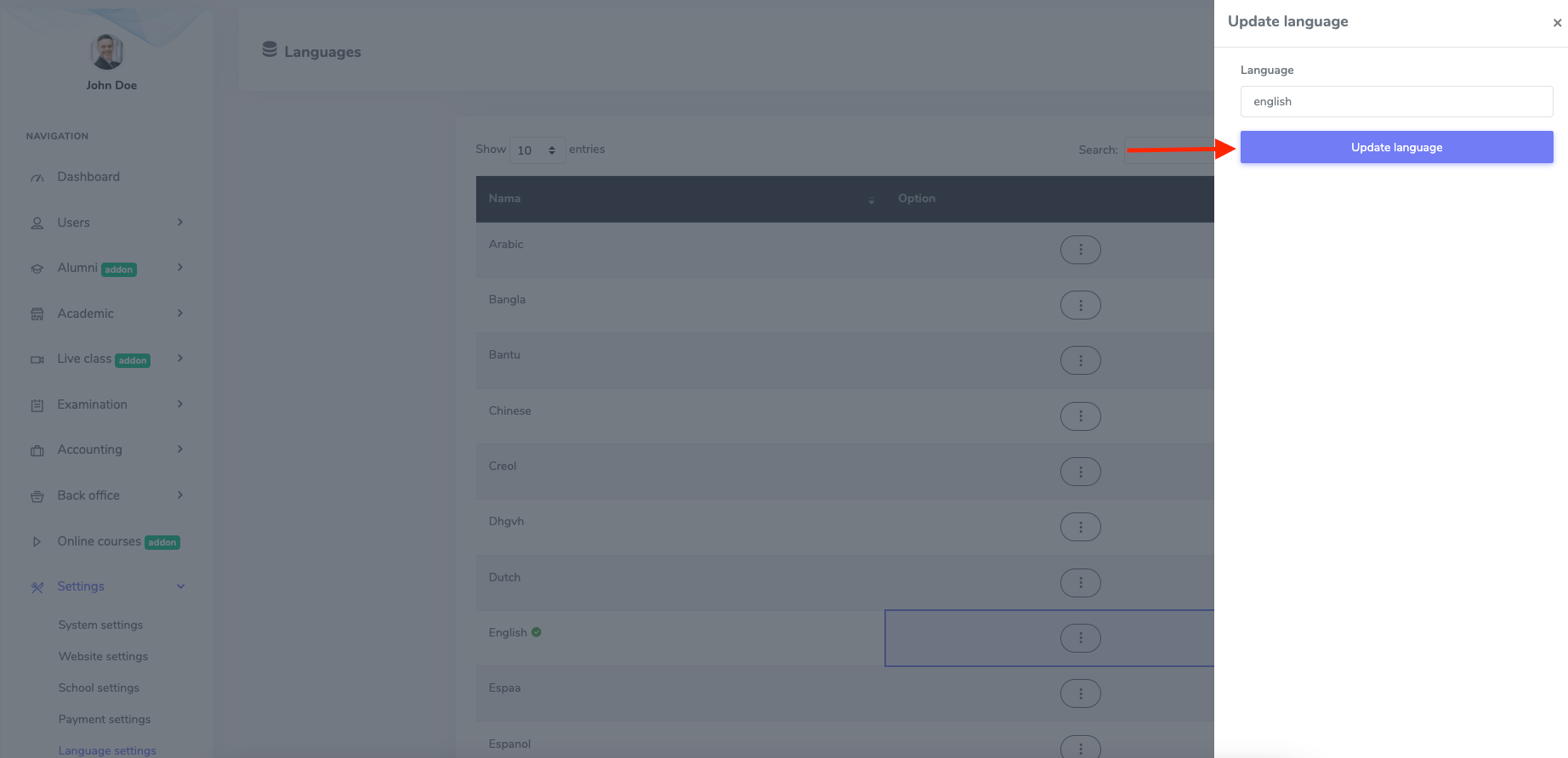
Figure 6. Ekattor ERP Updating Language
Select the "Delete" button from "Option" to remove a language and select the "Continue" button to complete your action.