# Managing teachers
A teacher has to play the role around academic activities. In Ekattor, superadmin and admin can monitor and control the teacher's panel. For this, you have to follow the steps below:
- Log in to the superadmin panel.
- Select the "User" option from the left menu.
- Choose the "Teacher" option from the sub-menu.
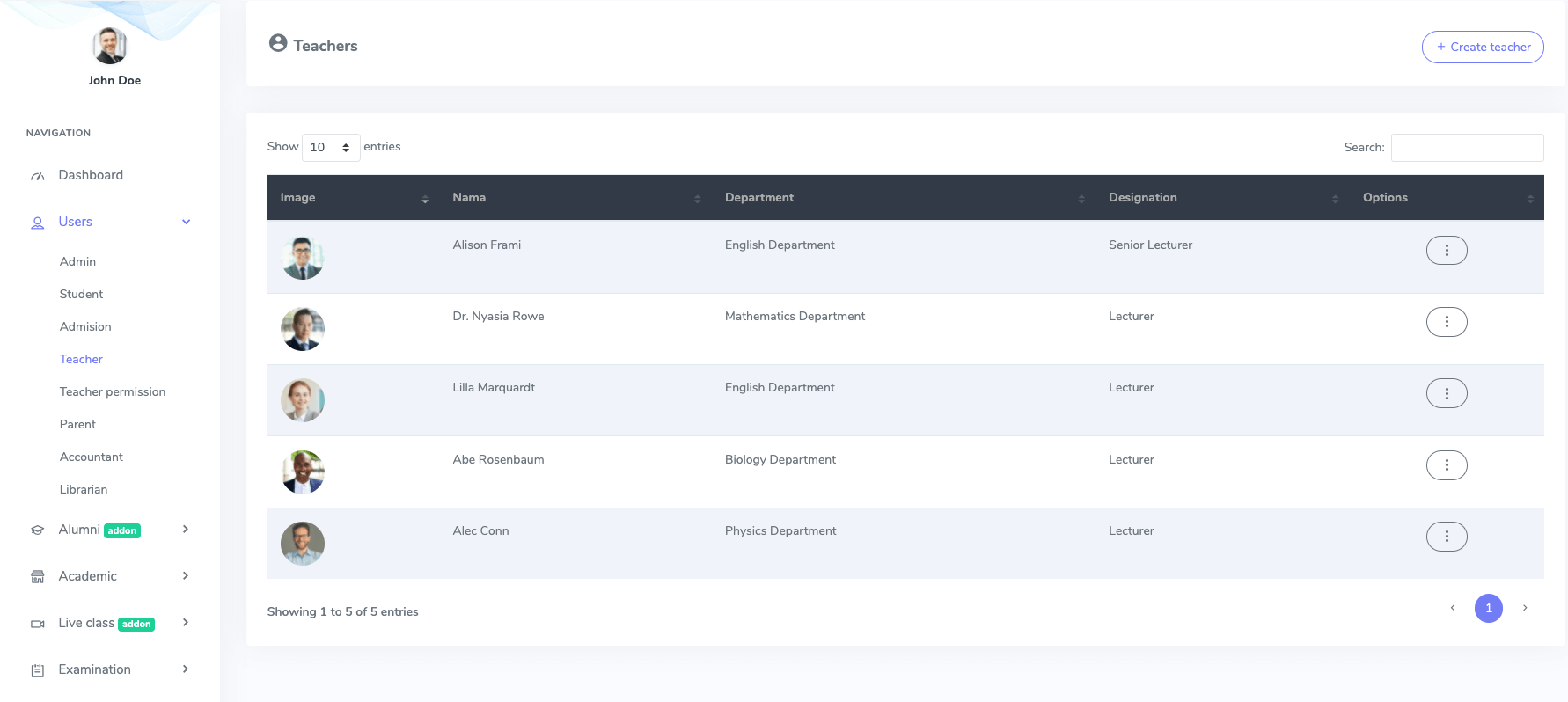
Figure 1. Ekattor ERP Teachers List
Now you can preview the teacher's permission, create, edit, and erase teachers from the teacher's list. To add a new teacher, you have to select the "Create teacher" button from the teacher's list.
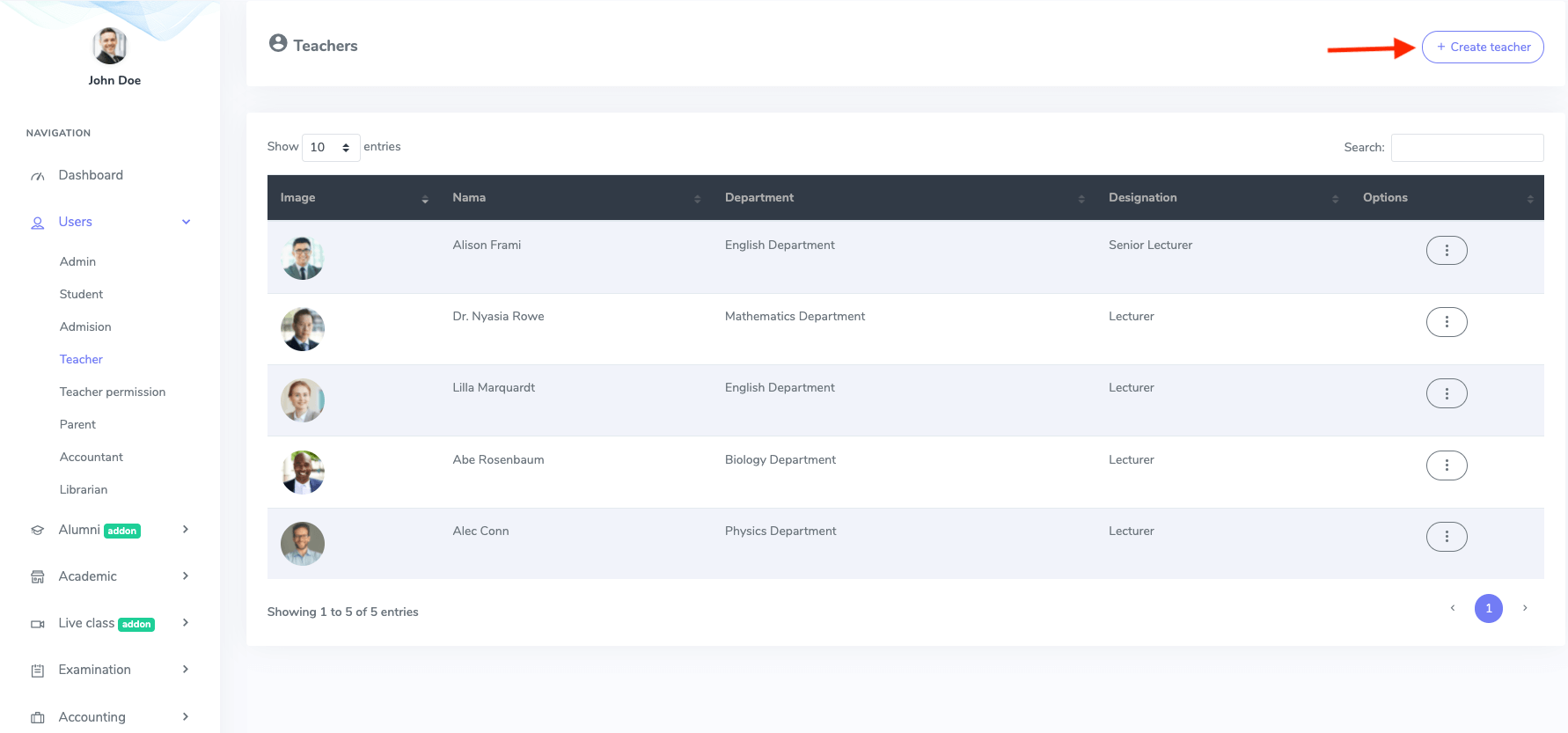
Figure 2. Ekattor ERP Adding New Teacher
After opening the new form, you have to provide:
- Teacher's name
- Password
- Designation
- Department
- Phone number
- Gender
- Blood group
- Facebook profile link
- Twitter profile link
- Linkedin profile link
- Address
- About
- Profile photo
After that, you have to select the "Create teacher" button to save your data.
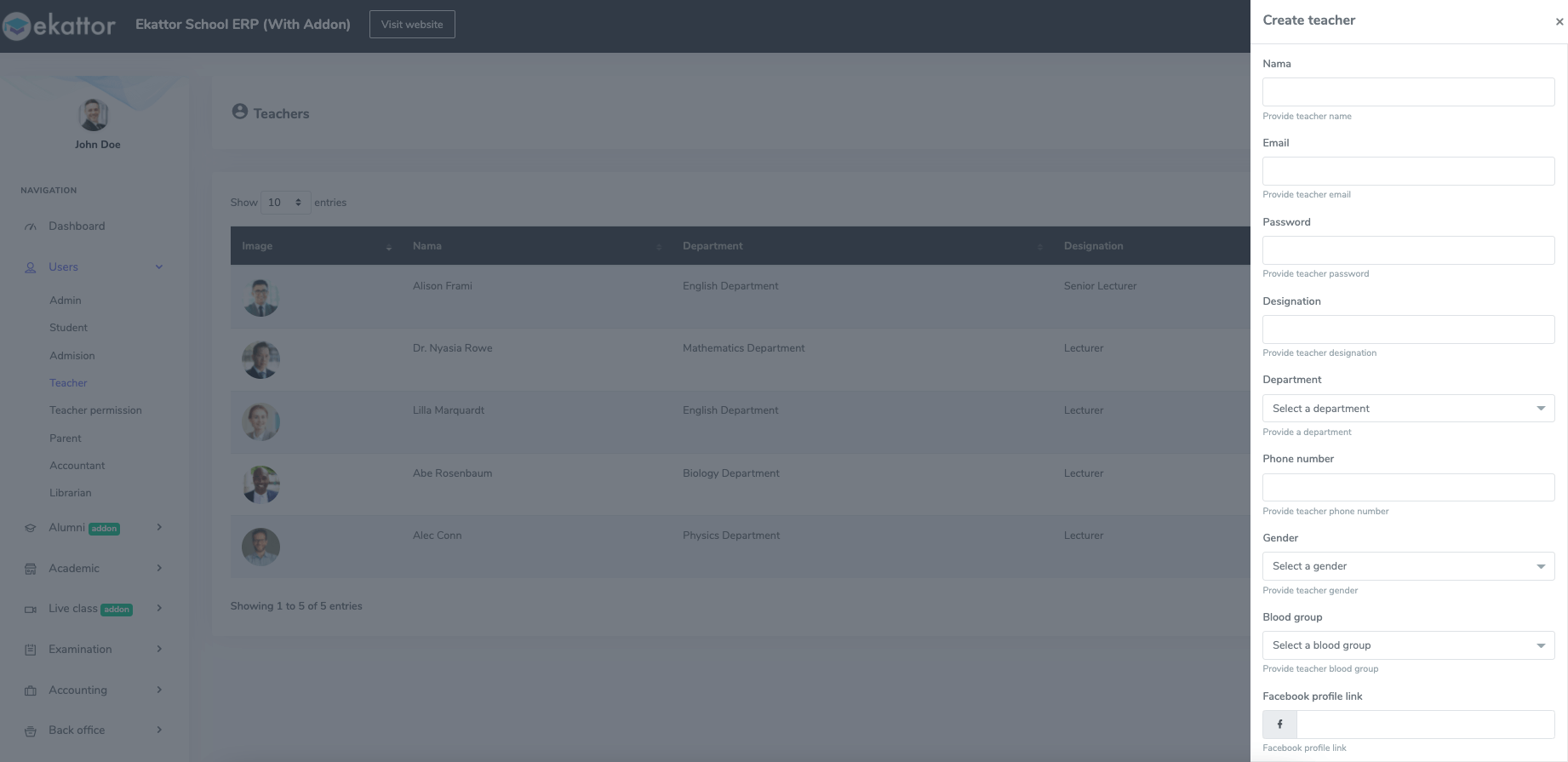
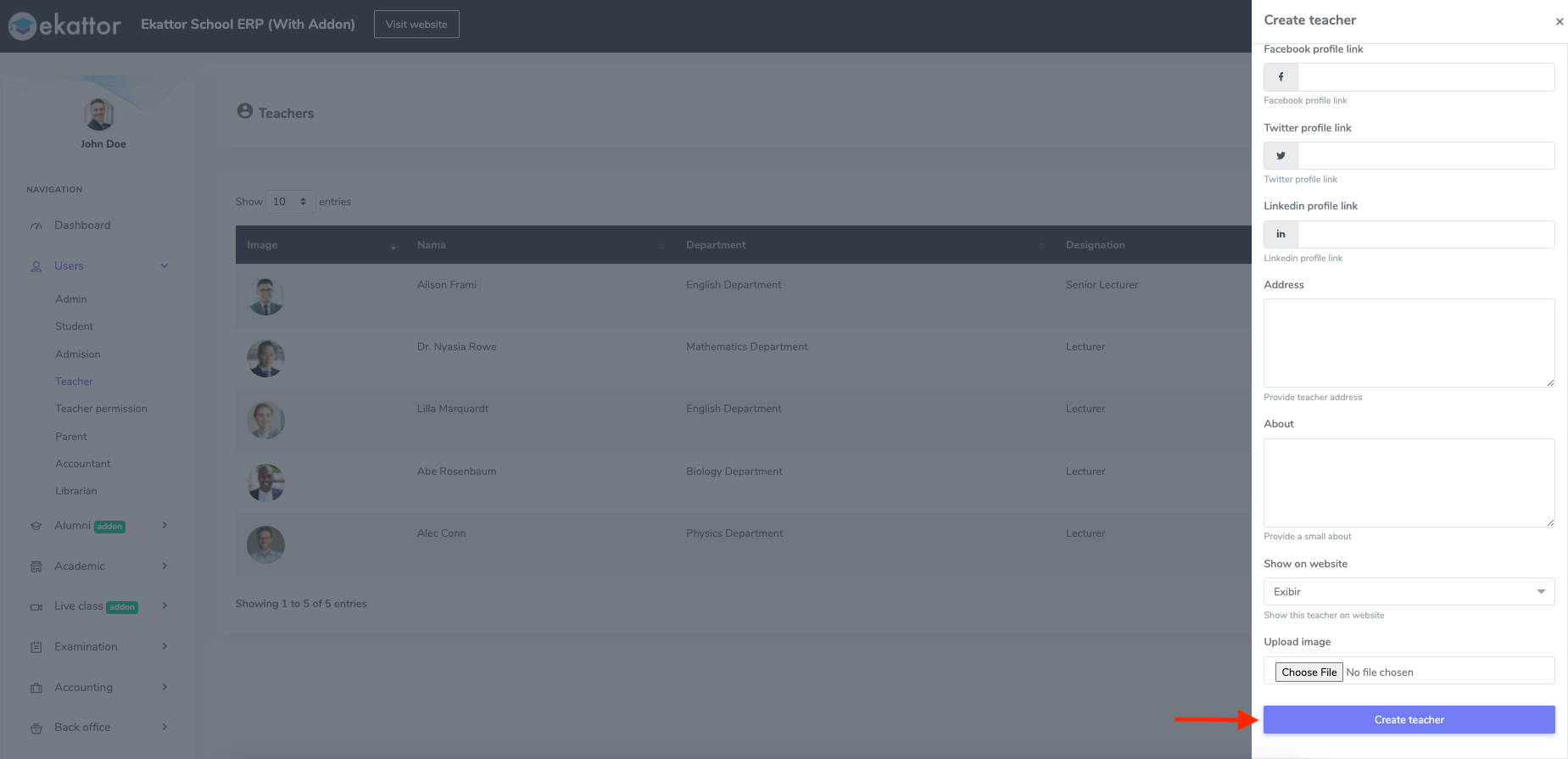
Figure 3. Ekattor ERP Saving New Teacher's Information
You can monitor the assigned permissions of a teacher. For this, you have to follow the steps:
- Select a teacher from the teacher's list.
- Choose the "Permission" panel from the "Option" button.
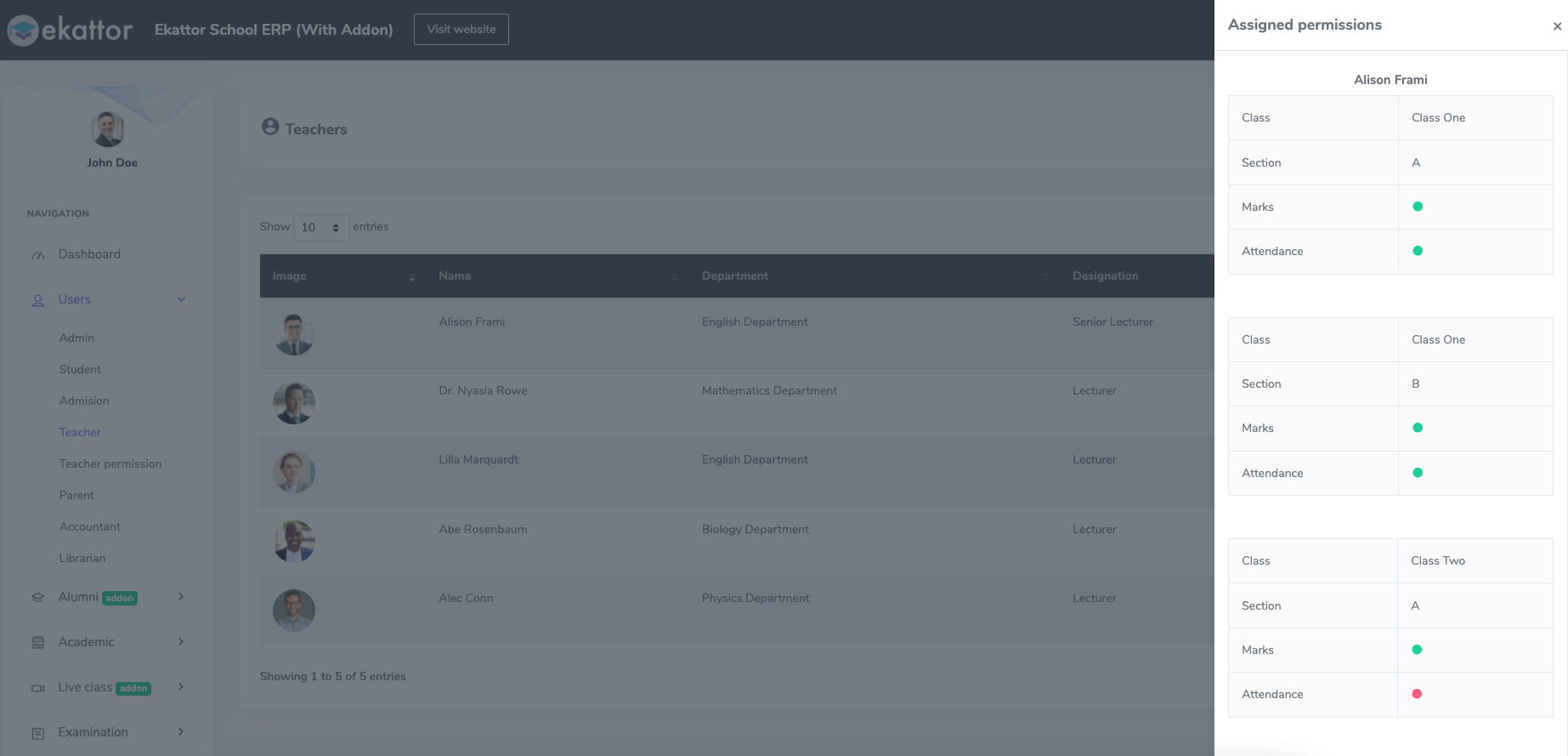
Figure 4. Ekattor ERP Teachers Assigned Permissions
Note: Green dot means that assigned the permission, and a red dot indicates unassigned permission.
To update the assigned permission, you have to select the "Update permission" button from the "Permission" option.
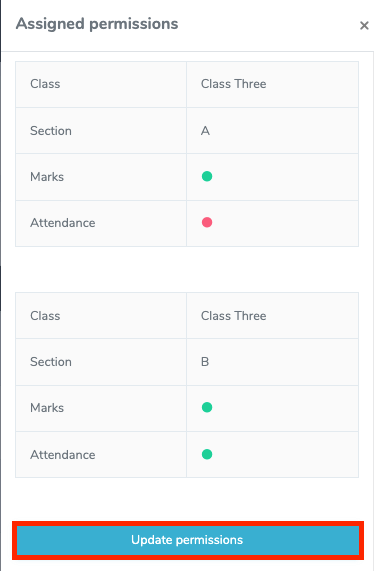
Figure 5. Ekattor ERP Updating Assign Permission
Now you have to select:
- Class and section.
- Click on the "Filter" button.
- Assigned/Unassigned the permissions.
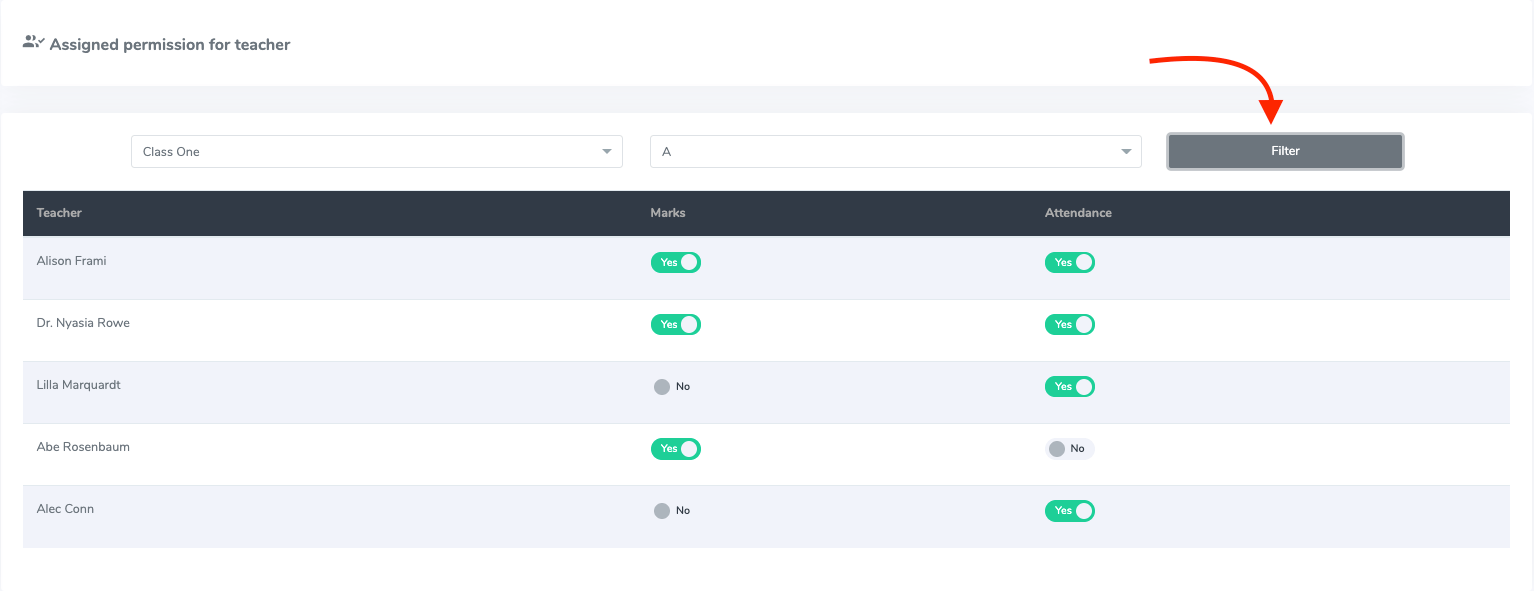
Figure 6. Ekattor ERP Changing The Permissions
As a superadmin or admin, you have the authority to change or update the teacher's information. Follow the instruction below to modify the information:
- Select the "Option" button from the teacher list.
- Choose the "Edit" button.
- Change the required information.
- Select the "Update teacher" option for confirmation.
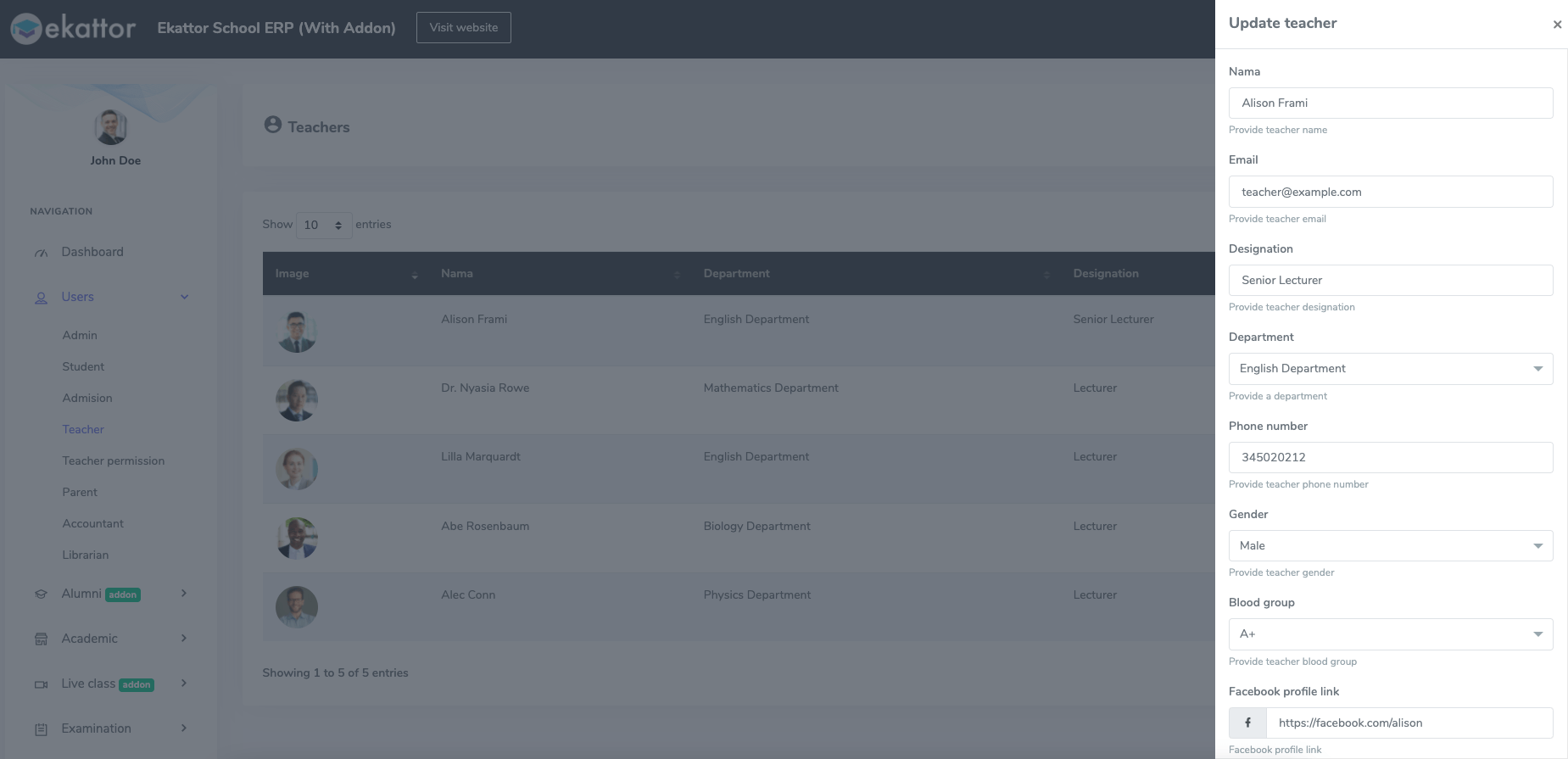
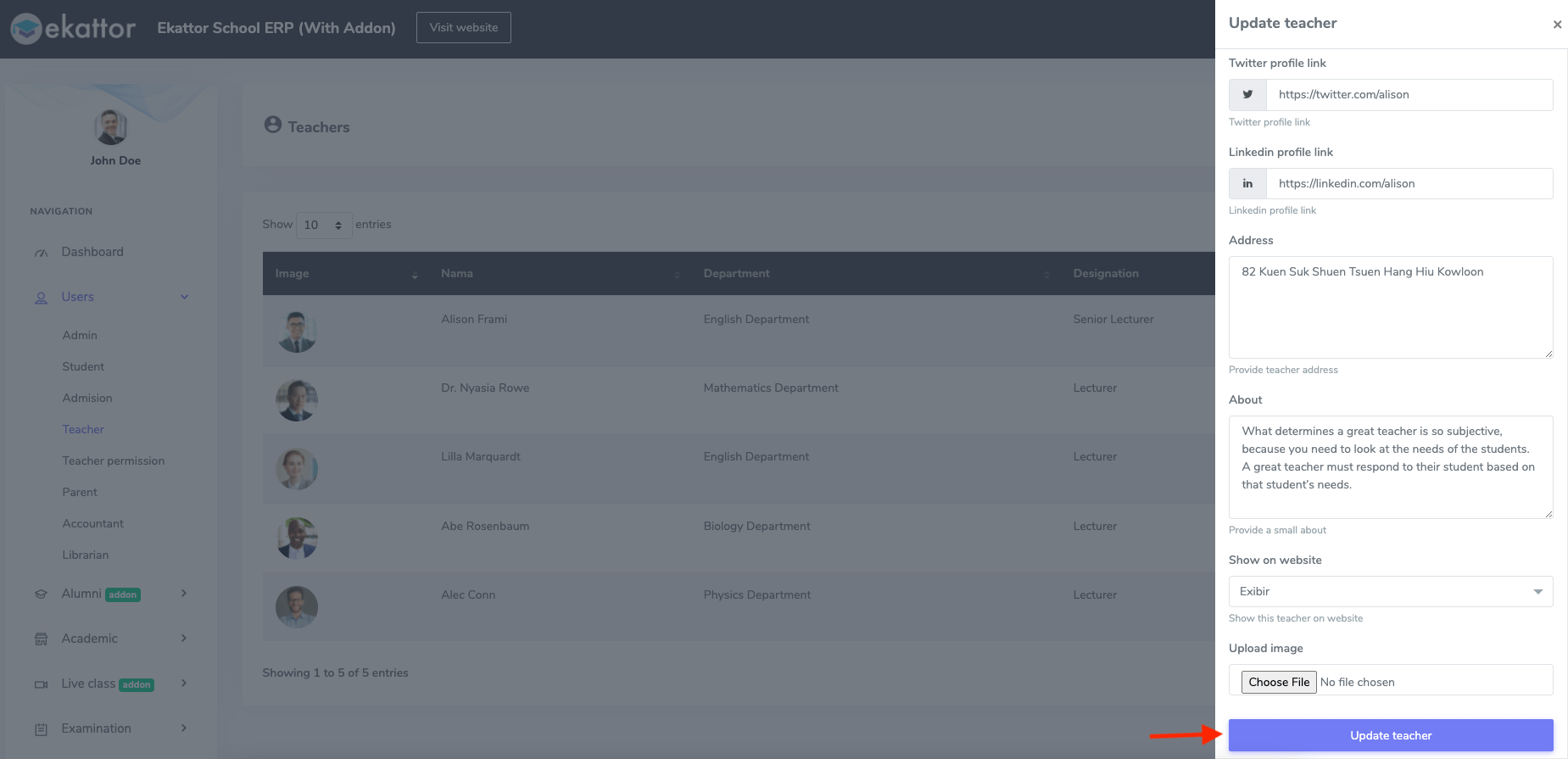
Figure 7. Ekattor ERP Updating Teacher's Information
You can also remove a teacher from the application. Select the "Delete" button from the "Option." Then choose the "Continue" button for confirmation.