# Managing librarian
A librarian is responsible for the school library, and they have a track of every library-related activity. In this school management system, you can monitor and control the librarian panel. For this, you have to follow the steps below:
- Log in to the user panel.
- Select the "User" option from the left menu.
- Choose the "Librarian" option from the sub-menu.
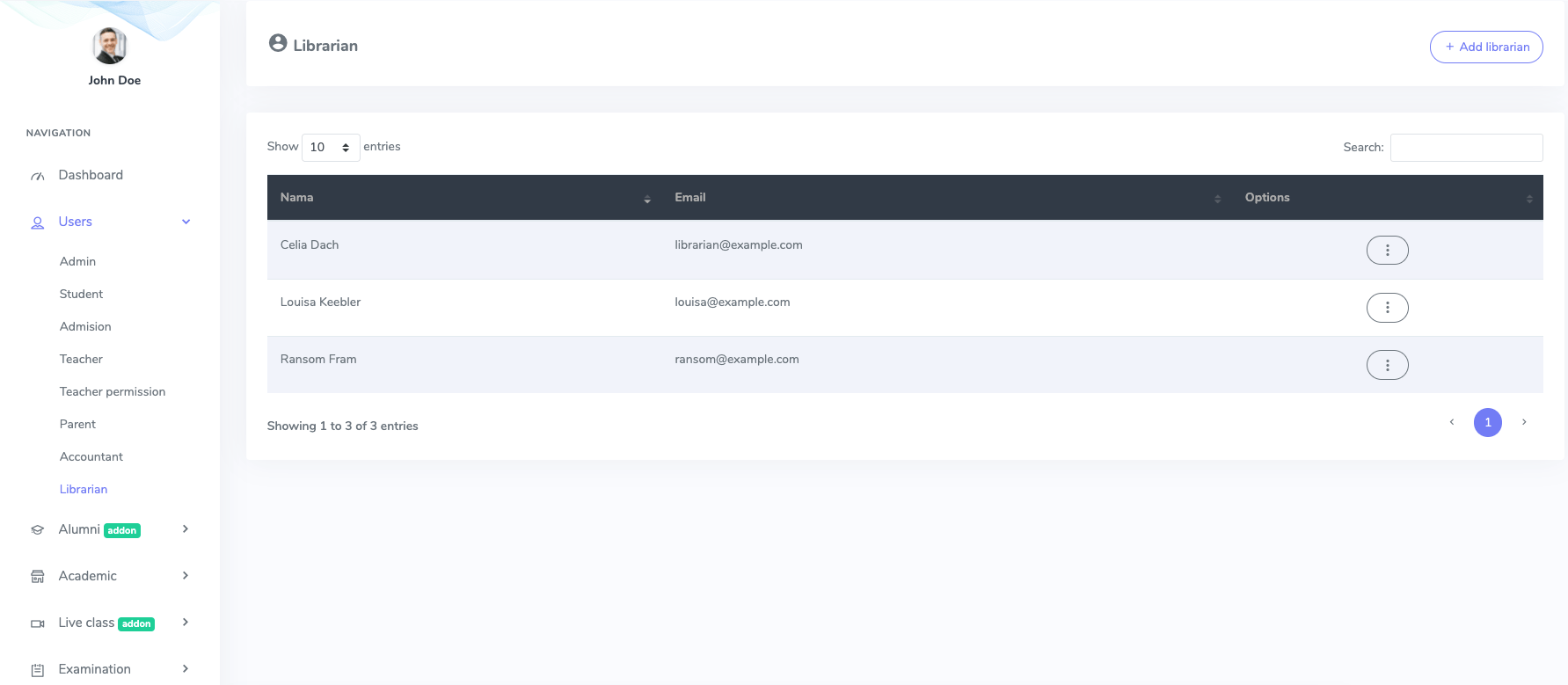
Figure 1. Ekattor ERP Librarian List
Now, you can add a new librarian. For this, you have to click the "Add librarian" button.
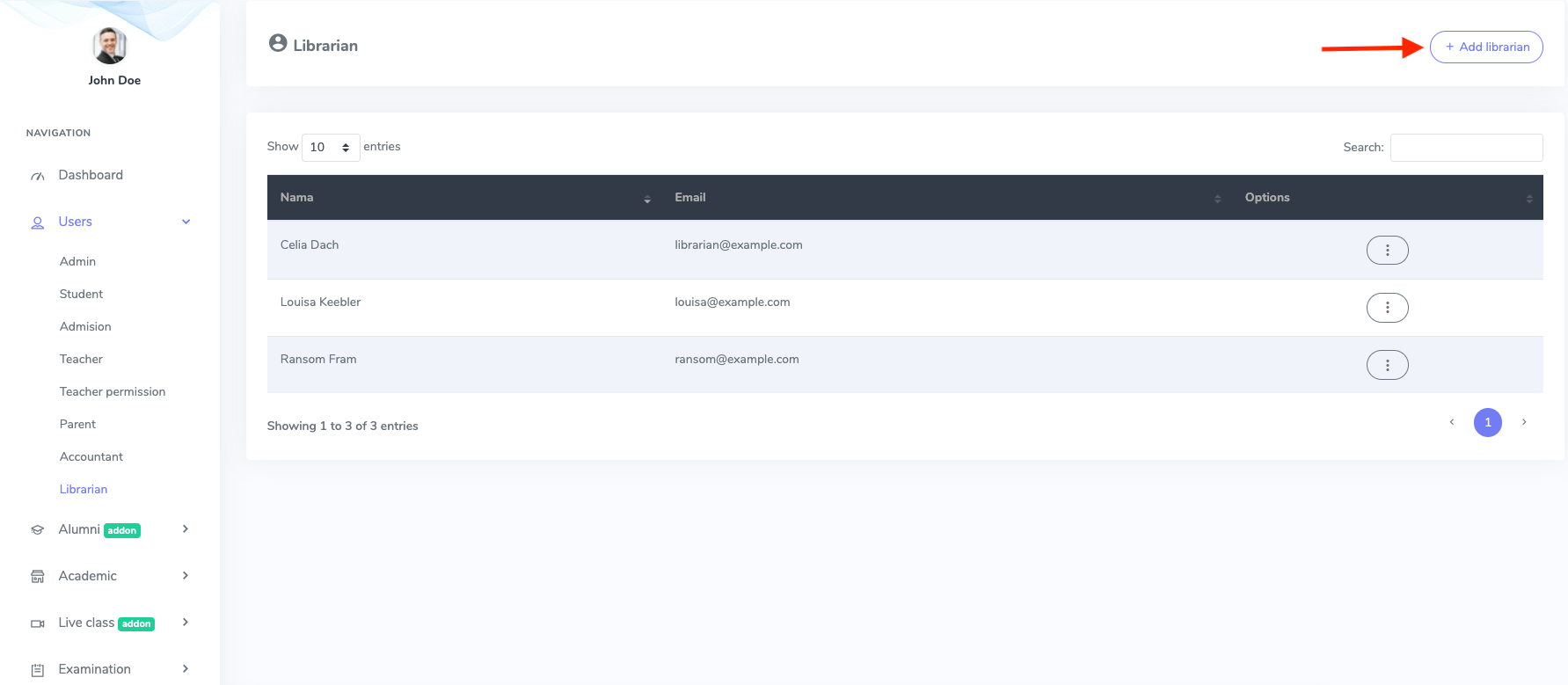
Figure 2. Ekattor ERP Adding New Librarian
After opening the form, You have to provide:
- Librarian's name
- Password
- Phone number
- Gander
- Blood group
- Address
To save your data, you have to select the "Create librarian" button.
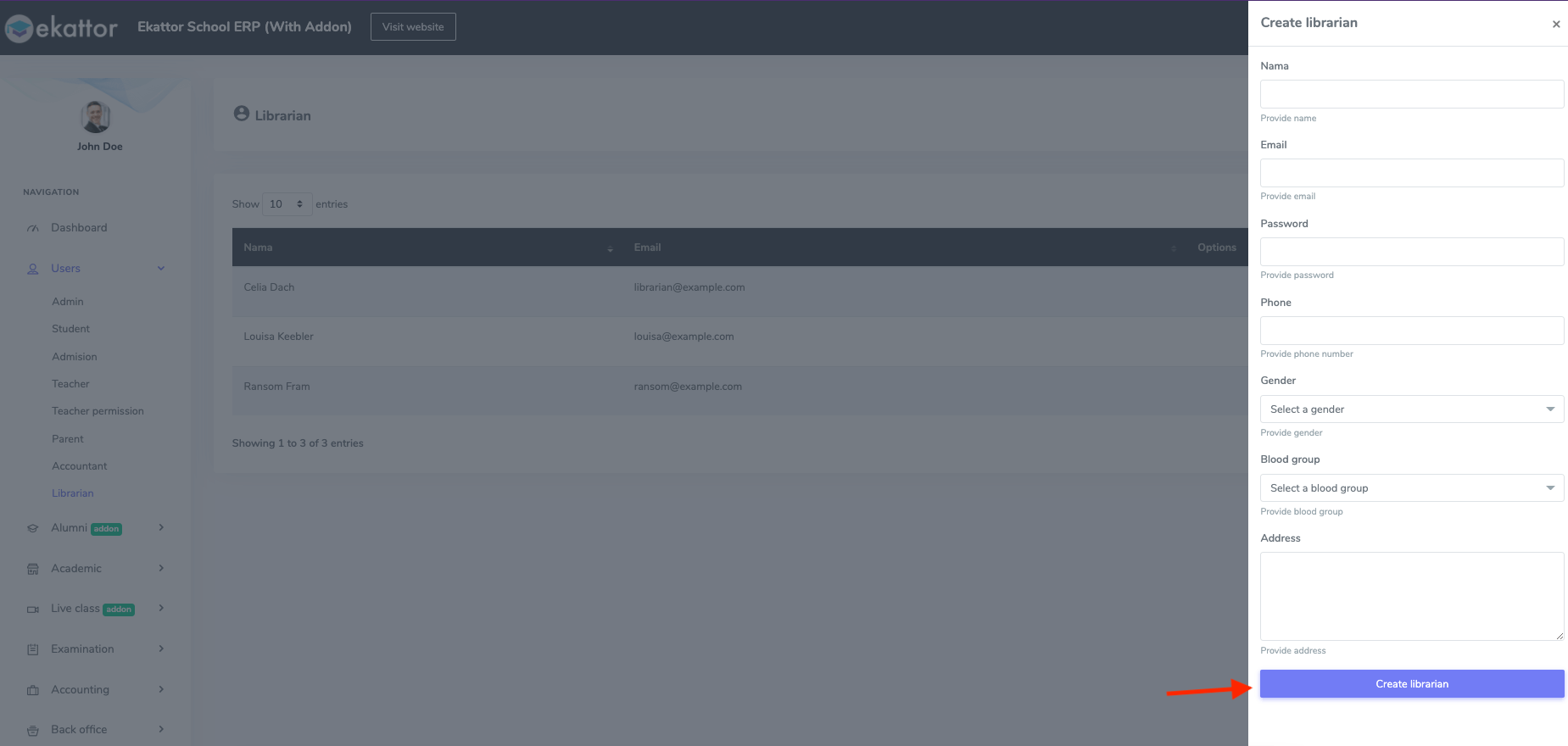
Figure 3. Ekattor ERP Updating Librarian's Information
To update or modify the librarian's data, You have to follow the steps below:
- Select the "Option" button from the librarian list.
- Choose the "Edit" button.
- Change the required information.
- Select the "Update librarian" option for confirmation.
To delete a librarian's account, you have to select the "Delete" button from the "Option." Then, click on the "Continue" button to complete your action.